

If you’ve been enjoying the Side Hustle Pro podcast, I would love it if you left a rating and review – it helps so much to build awareness and change the narrative of entrepreneurship! Here are six simple steps to leave an iTunes podcast review from your mobile device.
Step 1. Select the ‘Podcasts’ app on your mobile device to open.
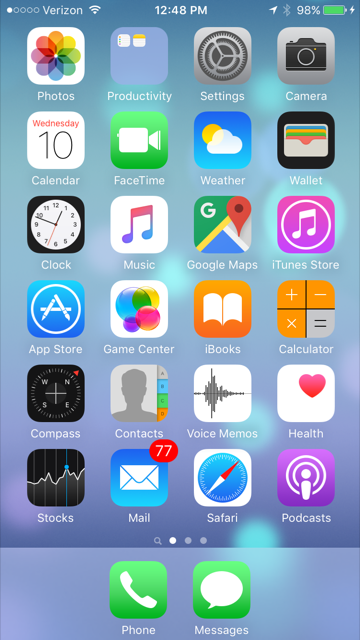
Step 2. Select the ‘Search’ button in the bottom right corner of your screen.

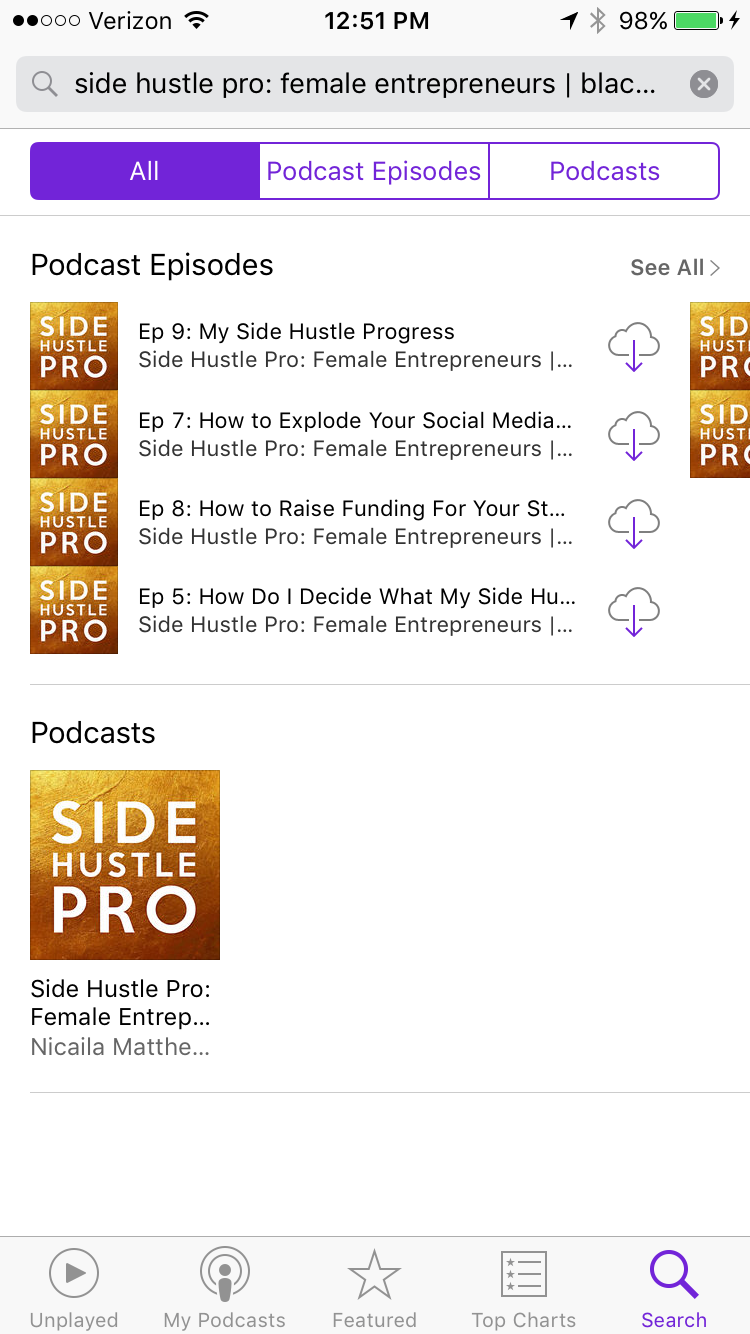
Step 3. Type ‘Side Hustle Pro’ into the search bar, and then click on the show below the Podcasts title.
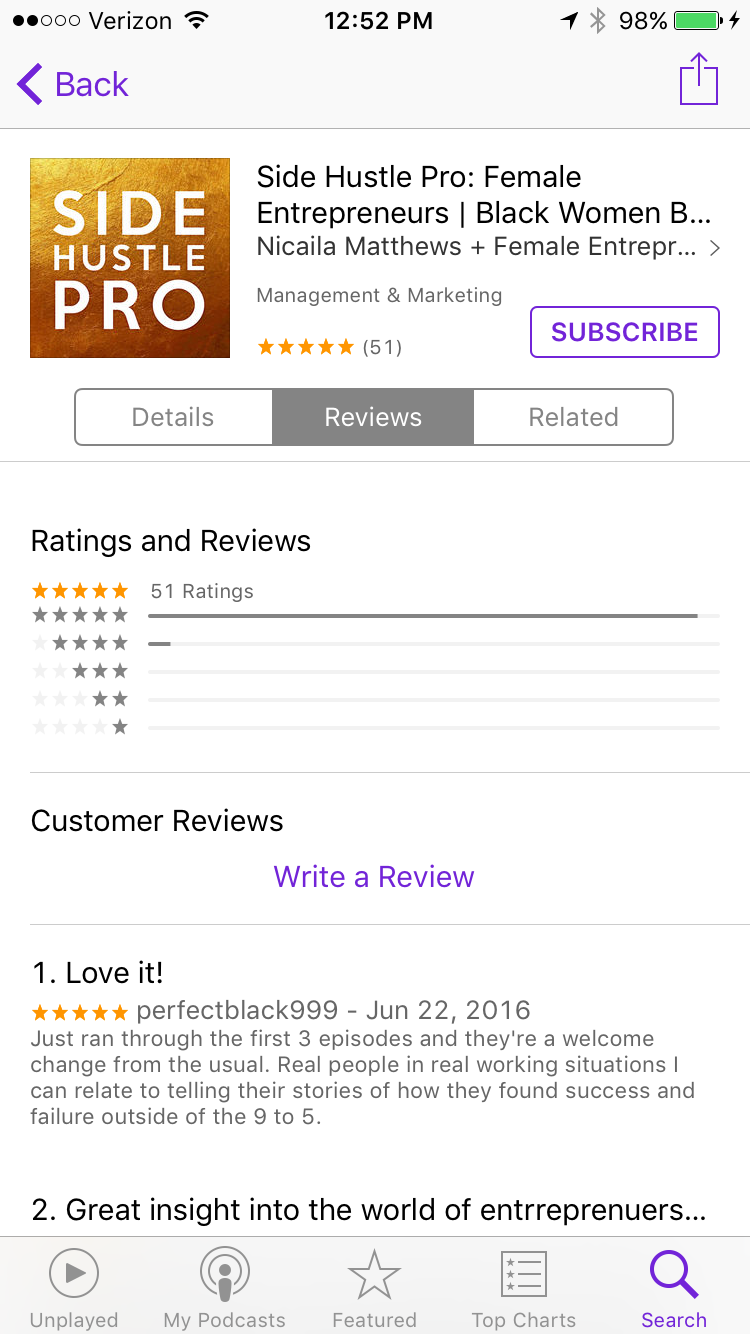
Step 4. Go to the ‘Reviews’ tab, then click ‘Write a Review’.
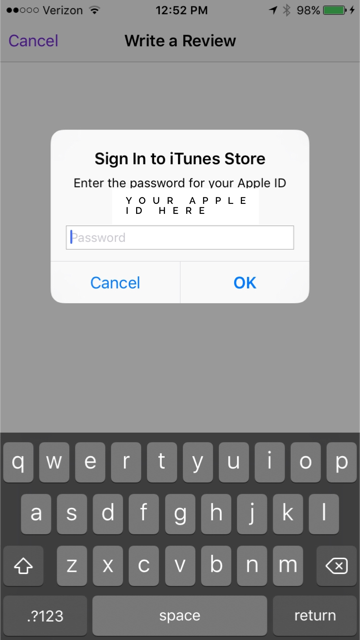
Step 5. Next you’ll be prompted to sign in using your Apple ID.
Step 6. Fill out the stars (we love 5 stars!) and write in your review, and then click the ‘Submit’ button. Thank you in advance for your support of Side Hustle Pro.